In this post, we will learn some of the DAX DateTime Functions such as YEAR, MONTH, HOUR, MINUTE, SECOND.
Table of Contents
DAX DateTime Functions
DAX date and time functions are based on the DAX datetime data type, and they are similar to the Excel date and time functions.
DAX YEAR function
- The DAX YEAR function returns the year of a date as integer of four-digit in the range 1900-9999.
- The Power BI DAX YEAR function extract or return year number from the given date.
- The YEAR function will be Gregorian values regardless of the display format for the supplied date value. If date is Hijri, the returned values for the YEAR function will be values associated with the equivalent Gregorian date.
Syntax
YEAR (<date>)Parameter
The DAX YEAR function takes date Parameter that can be one of the following:
- A return of DATE function.
- Result of other DAX formulas or DAX functions.
- Text representation of the date.
Return Value
The YEAR function returns an integer of four-digit in the range 1900-9999.
Examples: A return of DATE function
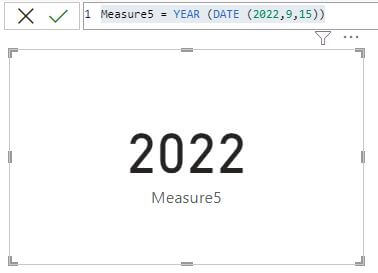
Measure5 = YEAR (DATE (2022,9,15)) it will return 2022